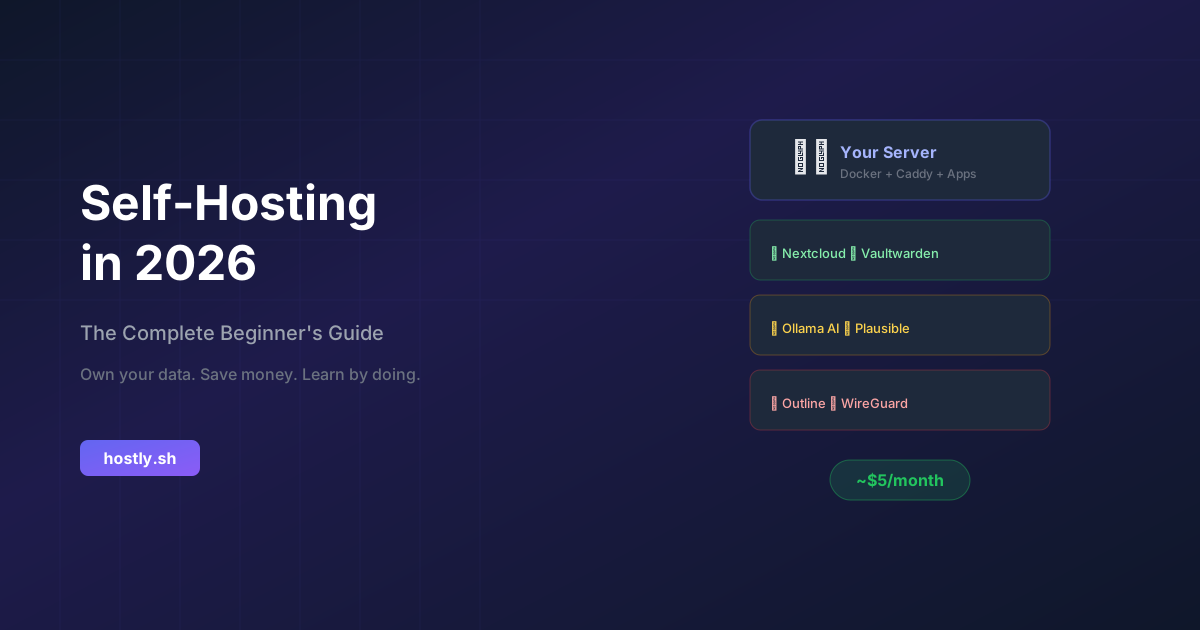
La autoalojamiento ha pasado de ser un pasatiempo de nicho a una práctica generalizada. En 2026, las herramientas son maduras, el hardware es asequible y las razones para tomar el control de tu vida digital nunca han sido más fuertes. Ya sea que quieras escapar de los crecientes costos de SaaS, proteger tu privacidad o simplemente aprender cómo funcionan los servidores, esta guía te ayudará a comenzar.
¿Qué es el autoalojamiento?
El autoalojamiento significa ejecutar aplicaciones en hardware que controlas, en lugar de depender de los servidores de otra persona (también conocido como "la nube"). En lugar de pagar a Dropbox $12/mes, ejecutas Nextcloud en un VPS de $5/mes. En lugar de confiar en Google con tu correo electrónico, ejecutas Stalwart Mail en tu propio dominio.
Los beneficios son convincentes:
- Propiedad total de los datos — Tus archivos, correos electrónicos y notas viven en tu hardware
- Privacidad por defecto — Sin escaneo, seguimiento o venta de tus datos por terceros
- Ahorro de costos — Un solo servidor de $5-30/mes puede reemplazar docenas de suscripciones de SaaS
- Sin bloqueo de proveedor — Cambia, migra o personaliza libremente
- Oportunidad de aprendizaje — Entiende cómo funciona realmente Internet
Eligiendo tu hardware
Tienes tres opciones principales para ejecutar aplicaciones autoalojadas. Cada una tiene su punto fuerte.
Opción 1: Un VPS (Servidor Privado Virtual)
Mejor para: Principiantes, acceso remoto, servicios siempre activos
Costo: $4–30/mes
Proveedores recomendados: Hetzner, Contabo, OVHcloud, Netcup
Un VPS es una máquina virtual que se ejecuta en un centro de datos. Obtienes acceso root, una dirección IP pública y un tiempo de actividad confiable. Esta es la manera más fácil de comenzar porque no necesitas preocuparte por fallos de hardware, cortes de energía o DNS dinámico.
💡 VPS de inicio recomendado
Hetzner CX22 — 2 vCPU, 4GB RAM, 40GB SSD — €3.99/mes
Suficiente para ejecutar Nextcloud, un gestor de contraseñas y algunas otras aplicaciones ligeras. Los centros de datos europeos de Hetzner también ayudan con el cumplimiento del GDPR.
Opción 2: Un Mini PC en casa
Mejor para: Servidores multimedia, automatización del hogar, NAS
Costo: $150–500 una sola vez
Hardware recomendado: Mini PCs Intel N100, Beelink, MinisForum
Para servicios que necesitan mucho almacenamiento (bibliotecas multimedia, copias de seguridad) o que deseas en tu red local (automatización del hogar), un pequeño servidor en casa tiene sentido. Los mini PCs basados en Intel N100 consumen solo 6-15W de energía, aproximadamente lo mismo que una bombilla, y pueden ejecutar docenas de contenedores Docker.
Opción 3: Hardware viejo reutilizado
Mejor para: Aprendizaje, experimentación, costo cero
Costo: Gratis (si tienes hardware viejo)
Ejemplos: Laptop vieja, Raspberry Pi, computadora de escritorio retirada
¿Tienes una laptop vieja acumulando polvo? Es un servidor perfectamente capaz. Instala Ubuntu Server, conéctalo a tu enrutador y estarás en marcha. La única desventaja es el consumo de energía y el ruido en comparación con hardware diseñado para ello.
Pila de software esencial
Aquí está la base de software que todo autoalojador debería configurar primero:
1. Sistema operativo: Ubuntu Server o Debian
Ambos son sólidos, bien documentados y tienen un gran soporte comunitario. Ubuntu 24.04 LTS es la opción predeterminada para la mayoría de los principiantes.
# Después de instalar Ubuntu Server, actualiza todo
sudo apt update && sudo apt upgrade -y

# Instala herramientas esenciales
sudo apt install -y curl wget git ufw fail2ban
2. Docker: Tu motor de despliegue de aplicaciones
Docker te permite instalar aplicaciones complejas con un solo comando. En lugar de configurar manualmente bases de datos, servidores web y dependencias, solo ejecutas un contenedor.
# Instala Docker
curl -fsSL https://get.docker.com | sh

# Agrega tu usuario al grupo docker
sudo usermod -aG docker $USER

# Instala Docker Compose (incluido con Docker moderno)
docker compose version
3. Proxy inverso: Caddy o Nginx Proxy Manager
Un proxy inverso dirige el tráfico de tu dominio al contenedor correcto. Caddy es la opción más simple: maneja automáticamente los certificados HTTPS.
# Ejemplo de Caddyfile
cloud.tudominio.com {
    reverse_proxy localhost:8080
}

pass.tudominio.com {
    reverse_proxy localhost:8081
}

git.tudominio.com {
    reverse_proxy localhost:3000
}
Cada servicio obtiene su propio subdominio, HTTPS automático y URLs limpias. No más recordar números de puerto.
4. Firewall y conceptos básicos de seguridad
# Habilitar el firewall UFW
sudo ufw default deny incoming
sudo ufw default allow outgoing
sudo ufw allow ssh
sudo ufw allow 80/tcp
sudo ufw allow 443/tcp
sudo ufw enable

# Habilitar fail2ban para protección contra fuerza bruta SSH
sudo systemctl enable fail2ban
sudo systemctl start fail2ban
Tus primeras 5 aplicaciones autoalojadas
Comienza con estos reemplazos de alto impacto que usarás todos los días:
📁 1. Nextcloud — Reemplaza Google Drive / Dropbox
Sincronización de archivos, calendario, contactos, notas y más. Es la navaja suiza del autoalojamiento.
docker run -d --name nextcloud -p 8080:80 -v nextcloud:/var/www/html nextcloud🔑 2. Vaultwarden — Reemplaza LastPass / 1Password
Un gestor de contraseñas ligero y autoalojado compatible con Bitwarden. Utiliza las aplicaciones oficiales de Bitwarden.
docker run -d --name vaultwarden -p 8081:80 -v vw-data:/data vaultwarden/server📊 3. Plausible — Reemplaza Google Analytics
Analítica web amigable con la privacidad. Script ligero, sin cookies, compatible con GDPR por diseño.
📝 4. Outline — Reemplaza Notion / Confluence
Wiki y documentación de equipo hermosa. Soporta Markdown, colaboración en tiempo real y acceso a API.
🤖 5. Open WebUI + Ollama — Reemplaza ChatGPT
Ejecuta modelos de IA localmente de forma gratuita. Consulta nuestra guía de comparación DeepSeek R1 vs ChatGPT para la comparación completa.
# Instala Ollama
curl -fsSL https://ollama.com/install.sh | sh
ollama pull deepseek-r1:14b

# Instala Open WebUI
docker run -d --name open-webui -p 3000:8080 \
  --add-host=host.docker.internal:host-gateway \
  -e OLLAMA_BASE_URL=http://host.docker.internal:11434 \
  ghcr.io/open-webui/open-webui:main
Desglose de costos: SaaS vs Autoalojado
Aquí está lo que un autoalojador típico ahorra por año:
| Servicio | Costo SaaS (Anual) | Costo Autoalojado | Ahorros |
|---|---|---|---|
| Almacenamiento en la nube (2TB) | $120 (Google One) | $0 (Nextcloud) | $120 |
| Gestor de contraseñas | $36 (Bitwarden Premium) | $0 (Vaultwarden) | $36 |
| Analítica | $108 (Plausible Cloud) | $0 (Plausible autoalojado) | $108 |
| Wiki de equipo | $96 (Notion por usuario) | $0 (Outline) | $96 |
| Asistente de IA | $240 (ChatGPT Plus) | $0 (Ollama) | $240 |
| Correo electrónico | $72 (Google Workspace) | $0 (Stalwart) | $72 |
| VPN | $48 (NordVPN) | $0 (WireGuard) | $48 |
| Costo total de SaaS | $720/año | ||
| Costo de VPS (Hetzner CX22) | $48/año | ||
| Ahorros anuales | $672/año | ||
Eso es un 93% de ahorro — y obtienes la propiedad total de los datos además.
Mejores prácticas de seguridad
El autoalojamiento significa que eres responsable de la seguridad. Sigue estos esenciales:
- Mantén todo actualizado — Configura actualizaciones automáticas para parches del sistema operativo
- Usa claves SSH, no contraseñas — Desactiva la autenticación por contraseña en sshd_config
- Habilita un firewall — Solo abre los puertos que realmente necesitas (80, 443, SSH)
- Usa fail2ban — Prohíbe automáticamente las IP con demasiados intentos de inicio de sesión fallidos
- HTTPS en todas partes — Caddy maneja esto automáticamente con Let's Encrypt
- Copias de seguridad regulares — Usa restic o borgbackup a una ubicación externa
- Monitorea tus servicios — Uptime Kuma es un gran monitor de tiempo de actividad autoalojado
Errores comunes a evitar
- No lo sobreingenieres — Comienza con 2-3 aplicaciones. Agrega más a medida que te sientas cómodo.
- No omitas las copias de seguridad — Tu servidor eventualmente fallará. Las copias de seguridad son innegociables.
- No expongas servicios sin autenticación — Usa autenticación de proxy inverso o VPN para aplicaciones sensibles.
- No ignores las actualizaciones — El software sin parches es el riesgo de seguridad número uno.
- No ejecutes todo en un solo servidor — A medida que crezcas, separa los servicios críticos.
Próximos pasos
Tienes la base. Aquí está a dónde ir desde aquí:
- Explora nuestro directorio de aplicaciones en hostly.sh para descubrir más aplicaciones autoalojables
- Únete a la comunidad — El subreddit r/selfhosted es la comunidad de autoalojamiento más grande con más de 400K miembros
- Configura monitoreo — Despliega Uptime Kuma para vigilar tus servicios
- Automatiza las copias de seguridad — Programa copias de seguridad diarias con restic a Backblaze B2 ($0.005/GB)
- Explora el autoalojamiento de IA — Consulta nuestra comparación DeepSeek R1 vs ChatGPT
El autoalojamiento en 2026 es más fácil que nunca. Las herramientas están pulidas, la comunidad es enorme y los ahorros son reales. Comienza pequeño, aprende a medida que avanzas y disfruta de la libertad de poseer tu vida digital.
¿Listo para sumergirte? Explora nuestro directorio curado de aplicaciones autoalojables en hostly.sh — categorizamos, comparamos y revisamos el mejor software de código abierto para cada caso de uso.